


Weather Live Wallpapers
4.5624.00 Reviews
App Specs
- Version
- 2.42.0
- Updated On
- License
- Free
- Downloads
- 1,000,000+
- Developer
- SkySky
- Categories
- Weather
- Platform
- Android, iOS
Screenshots

 Analysis by AppCompare
I’m usually cautious about keeping a live wallpaper installed once the first-day novelty wears off. A moving sky can make a phone feel personal, but it also has to fit into a routine without demanding attention or making the home screen harder to use. Weather Live Wallpapers appeals to me because it links the look of the screen to local conditions, so the visual change has a reason to be there rather than being motion for its own sake.
That idea works best when I treat the wallpaper as a small ambient detail, not as a replacement for a forecast. It can make unlocking the phone feel more connected to the weather outside, while a dedicated weather app remains the better place to plan around rain or changing conditions. That distinction matters: the wallpaper adds atmosphere, but I wouldn’t rely on it alone when timing a commute or deciding whether to carry an umbrella.
The First Impressions
From the moment I opened the app, I was met with a user-friendly interface. It's clean, intuitive, and doesn’t overwhelm you with too many options right off the bat. Instead, it eases you in, which is a nice touch for those of us who prefer a less cluttered experience.
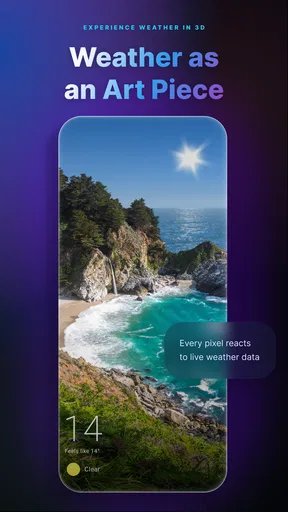
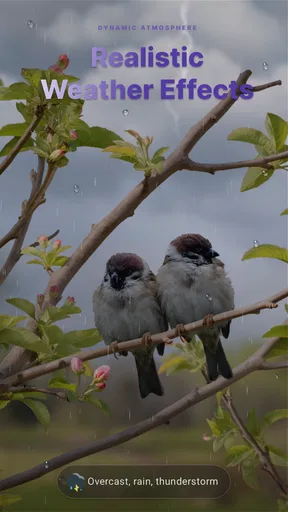
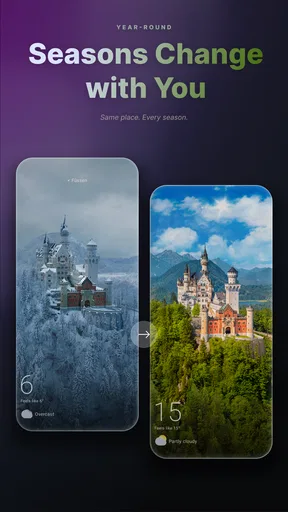
Setting up the live wallpaper was a breeze. You simply select your desired theme, and it syncs with your local weather. The wallpapers are beautifully crafted, offering everything from gently falling snow to vibrant sunsets, depending on the current weather conditions. It’s like having a little window into the outdoors right on your phone.
Customization Galore
One of the standout features of Weather Live Wallpapers is its customization options. You're not stuck with just one look. The app offers a range of themes and styles to choose from, allowing you to tailor the experience to your personal taste.
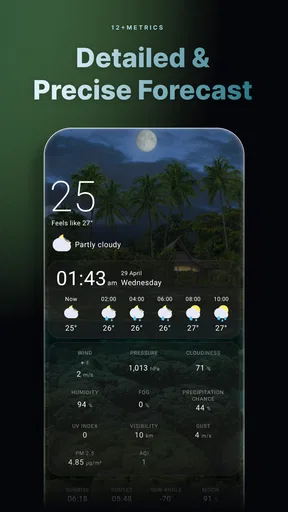
You can choose whether you want detailed weather information displayed on your screen, or if you’d prefer to keep things minimalistic. There’s even an option to switch between different weather providers, so you can trust the data you’re seeing. For someone who loves to tweak settings and make things just right, this level of customization is a dream.
In practical use, I’d decide on the information level before settling on a theme. A detailed display may suit a screen I check for conditions, while a quieter layout makes more sense if I want icons and widgets to stay visually prominent. If the weather shown doesn’t match what I expect locally, trying another provider is a sensible first adjustment; it can help distinguish a source difference from a problem with the wallpaper itself.
Worth Reading Before You Choose

EA SPORTS FC Mobile 26 Is a Bigger Football Game, but It Takes Time

Flipboard Shows What News Apps Must Do Beyond the Feed

Switching to Android Auto Means Rethinking Your Driving Routine

Google Calendar Makes a Crowded Week Easier to Manage

Ludo King Makes the Most of the Minutes Between Plans

Baby Panda World Brings Quick Play to Modern Phones, but Its Game Library Feels Busy
This is also where I’d keep expectations measured. A weather-themed home screen is most useful as a glanceable cue, not as a precision instrument. For an outdoor plan, I’d still open a regular forecast and check the timing and details there. The wallpaper is better at making conditions feel present than at answering every practical question about them.
Performance and Battery
Now, I know what you're thinking. Live wallpapers can be notorious battery drainers, right? But here's the kicker—this app is surprisingly efficient. During my testing, I didn’t notice any significant impact on my phone’s battery life. The animations are smooth, and I didn’t encounter any stuttering or lag, which can often be a deal-breaker with live wallpapers.
The developers have clearly put a lot of thought into optimization, making sure that the app runs seamlessly without hogging resources. It's a win-win situation where you get stunning visuals without the usual drawbacks.
Daily Delight
One of my favorite aspects of using Weather Live Wallpapers is the sheer joy of checking my phone throughout the day. It’s a little delight to see how the landscape changes with the weather. Whether it’s a bright sunny day or a moody rainstorm, the animation reflects it beautifully. It’s like carrying a piece of the sky in your pocket.
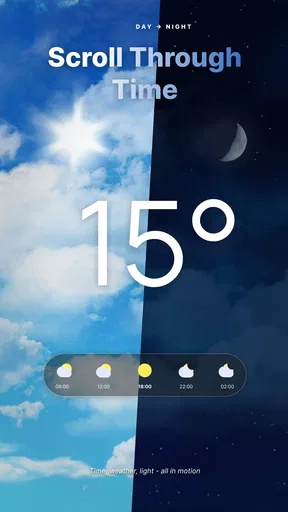
The app also has a neat little feature where you can set it to change wallpapers at specific times or intervals. This means you can wake up to a sunrise animation and wind down with a starry night scene. It adds a layer of personalization that makes the device feel truly your own.
A routine I like is to choose a look that stays readable behind the apps I use most, then leave it alone for several days instead of changing it whenever I unlock the phone. That gives the changing weather room to feel like a natural detail rather than a stream of decoration I have to manage. If a scheduled change makes the screen feel too busy, simplifying the setup is likely more useful than adding another visual variation.
Living With It Beyond the First Week
The first week is when the changing scenes are most noticeable. After that, the question is whether the wallpaper still contributes something on ordinary days. For me, its lasting value depends on how often I enjoy seeing conditions represented without having to open another app. On a familiar route or a work-from-home day, that quiet reminder can be pleasant; if I rarely look at the home screen, the effect naturally matters less.
A realistic use case is getting ready for work on a wet morning. I might unlock my phone, see a rain scene, and remember to check the forecast before leaving. The wallpaper prompts that check, but it doesn’t tell me whether rain will begin before my bus arrives. That division of labor is useful: the live view nudges awareness, while a conventional forecast handles decisions that depend on specific timing.
Compared with a static weather widget, this app prioritizes mood and visual change over compact, immediately readable facts. A widget is often the better choice if temperature or forecast details are what I want to see first. Compared with a plain live wallpaper, the weather connection gives the animation a more personal reason to change. The trade-off is that a static image is simpler and predictable, while an animated, condition-linked screen may feel less worthwhile to someone who prefers a clean, still home screen.
It is a particularly natural fit for people who already enjoy customizing their phone and want the background to reflect the day. I’d be less inclined to recommend it to someone who rarely checks the home screen, relies on a single glance for exact forecast details, or is trying to keep every visual element still and unobtrusive. In those cases, a basic weather widget or a static background may serve the habit better.
Maintenance, Fit, and Small Frictions
The ongoing effort is modest in concept: choose a look, decide how much information belongs on it, and use the provider option if the displayed conditions seem out of step with your local expectations. The main maintenance is personal rather than technical. I’d revisit the setup when I change phones or decide my home screen needs a different balance, not as a daily chore.
Still, a live wallpaper is another layer of personalization to keep in mind. People who frequently rearrange their home screen may need to check that the chosen scene and information remain comfortable behind their icons. Anyone who dislikes animated backgrounds may also find that the novelty becomes visual clutter. I’d start with a restrained style and only add more detail if it genuinely helps or makes the phone more enjoyable.
Battery experience can vary by device and use, so my positive impression is not a promise that every phone will behave identically. If conserving power is a priority, I’d pay attention to the phone’s own battery information after setting the wallpaper, rather than assuming that any animated background is cost-free. That is a practical way to judge whether the visual benefit is worth keeping on your particular device.
Who It Suits Over Time
The app is a weather-focused Android wallpaper app from SkySkyAm, and its appeal is easy to understand: it combines a changing visual backdrop with a connection to local conditions. It is free to install, has optional in-app purchases ranging from $1.99 to $16.99 per item, and is rated for Everyone. Its current version is 2.26.0, and it requires Android 9 or later, so checking that requirement before installing can save time on an older device.
It has an average rating of 4.5 from around 24,000 ratings, with more than a million installs. Those figures suggest that the idea has broad appeal, but they don’t settle whether it belongs on your own phone. For that, I’d ask a simpler question: do I enjoy a home screen that changes with the day, and will I notice it often enough to value that change?
The recurring purchase range is worth keeping in mind if you prefer to avoid spending inside free apps. I’d begin with the free experience and decide whether the available customization already fits my habits before considering any optional purchase. The app is most compelling when the basic idea itself is what you want; buying more is not a substitute for liking the day-to-day presence of an animated background.
Final Thoughts
In a sea of live wallpaper apps, Weather Live Wallpapers stands out not just for its aesthetic appeal, but for its functionality and customization options. It’s a rare find that combines art with practicality, enhancing your daily routine with a touch of nature’s beauty.
If you’re someone who appreciates both form and function, and you love the idea of having a little piece of the weather on your screen, this app is definitely worth checking out. Plus, with its efficient performance, you won’t have to worry about it weighing down your device. So go ahead, give it a whirl and bring a dash of the outdoors to your phone!
My lasting recommendation is to think of it as a personal ambience choice rather than an essential forecasting tool. If the changing scene makes routine unlocks a little more enjoyable, and you still use a forecast for decisions that need detail, it can earn its place well beyond the first few days. If you want only exact conditions at a glance, or prefer a background that never moves, another kind of weather display will probably suit you better.
Pros
- Dynamic weather animations enhance experience.
- Customizable settings for personalized displays.
- Minimal battery consumption despite graphics.
- Easy to sync with local weather data.
- Intuitive interface for smooth navigation.
Cons
- May require frequent updates for accuracy.
- Ads in free version can be intrusive.
- Limited free features without premium upgrade.
- Occasional lag on older devices.
- Requires internet connection for real-time data.
FAQs for Weather Live Wallpapers
What features does Weather Live Wallpapers offer?
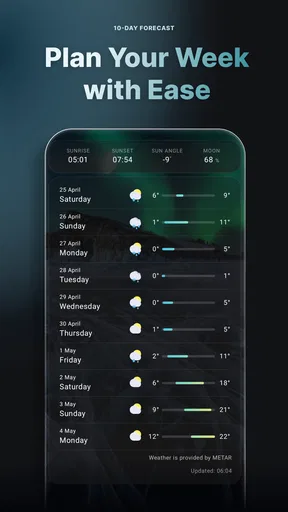
Weather Live Wallpapers provides real-time weather updates directly on your home screen with stunning, dynamic backgrounds that change based on current weather conditions. The app includes hourly forecasts, severe weather alerts, and customizable widgets, allowing you to personalize your experience and stay informed about the weather at a glance.
Is Weather Live Wallpapers free to use?
Weather Live Wallpapers offers a free version with basic features and ads. However, users can opt for a premium subscription to access an ad-free experience and additional customization options, such as exclusive wallpapers and advanced weather data. The premium version provides an enhanced and uninterrupted user experience.
How accurate is the weather information provided by Weather Live Wallpapers?
The app sources its weather data from reputable providers known for their accuracy and reliability. While no weather app can guarantee 100% precision, Weather Live Wallpapers aims to deliver timely and accurate updates, including current conditions, forecasts, and severe weather alerts, helping users plan their day effectively.
Can I customize the wallpapers in Weather Live Wallpapers?
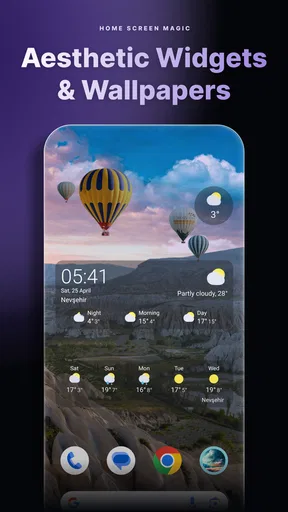
Yes, Weather Live Wallpapers allows extensive customization. Users can choose from a variety of dynamic wallpapers that change according to the weather, or select specific themes that match their preferences. Additionally, the app provides options to adjust the frequency of wallpaper updates and customize widget appearances.
Does Weather Live Wallpapers drain battery life significantly?
While dynamic wallpapers and frequent updates can impact battery life, Weather Live Wallpapers is optimized to minimize battery usage. The app allows users to adjust settings, such as update frequency and animation intensity, to balance between functionality and battery consumption, ensuring efficient performance on most devices.


